

A better volume mixer for Windows.
Press Ctrl+Shift+V (configurable) to open the GUI, or double-click the tray icon.
- Windows 10/11 with the .NET 10 Desktop Runtime
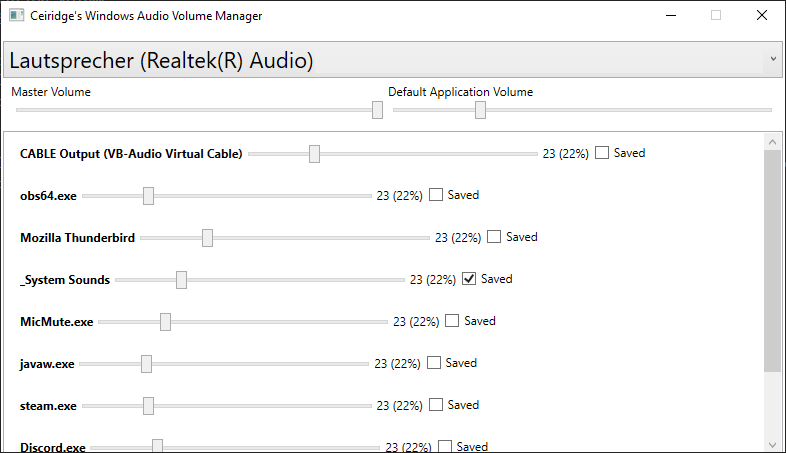
- Set master volume
- Set & save application volumes (re-applied automatically whenever the app plays audio)
- Set a default volume for new/unknown applications
- Doesn't save application volume
- Sets the volume of new applications to the master volume
- Annoying UX
Settings and saved volumes are stored in a SQLite database at
%APPDATA%\WindowsAudioVolumeManager\volumeManager.db.
A log file is written next to it (log.txt).
Note: I accidentally created the git repository in the source folder of the main program, which means that there isn't a .sln file available, although it should be easy to recreate (.NET Core).